
Top 6 Trylawless.com Alternatives for Legal Software 2026
Managing legal research and contract review across disconnected tools slows down legal professionals and teams. Many software options lack features like transparent pricing, in-editor review, or strong compliance support for regulated industries. This comparison covers six alternatives to Trylawless.com so legal teams can match the right platform to their workflow, budget, and security requirements.
Table of Contents
Jarel

At a Glance
All AI generated outputs remain tied to source materials such as contracts, statutes, and case law so reviewers can verify citations before reliance. Jarel centralizes research, review, drafting, and compliance work in a single workspace. The design emphasizes traceability with access controls and audit logs to support professional responsibility.
Core Features
Jarel delivers source linked answers that attach authorities and citations to each result, plus document upload and organization inside secure vaults. The platform supports legal research with jurisdictional context and contract review with structured extraction and citations. Drafting support and redlining include referenceable sources so edits carry provenance into the review trail.
Key Differentiator
The defining feature is the platform’s insistence that every claim and suggested change carries a direct link to its original authority. That source linkage lets reviewers validate reasoning without switching tools or hunting for primary materials.
Pros
Jarel was built to serve law students, solo practitioners, and in-house teams who need verifiable legal analysis and document review. The vendor states compliance with GDPR and advertises planned security certifications, which addresses common regulatory concerns. The product integrates with familiar legal tools like Microsoft Word, Outlook, SharePoint, iManage, NetDocuments, Clio, Google Drive, and Dropbox so file transfer and collaboration fit existing workflows.
Cons
- Steep learning curve due to feature depth and advanced workflows
Notable Integrations
- Microsoft Word
- Outlook
- SharePoint
- iManage
- NetDocuments
- Clio
- Google Drive
- Dropbox
Who It's For
Legal professionals, law students, and legal teams who must keep every research claim and draft tied to primary sources will find Jarel relevant. Teams that require audit trails, role based access controls, and source discipline will benefit from the platform. Small users with limited budgets may find the feature set more than they need.
Unique Value Proposition
Citations attached to each AI generated answer and drafting suggestion let reviewers verify authorities during normal review cycles rather than after the fact. That flow reduces time spent chasing sources and makes audit logs and access controls actionable for compliance reviews. For teams billing by review hours, the citation-first approach shifts time from verification to substantive legal judgment.
Real World Use Case
A litigation team uploads dozens of vendor agreements into Jarel vaults, extracts obligations with structured fields, and compares confidentiality clauses across contracts. Counsel clicks a citation on a pulled obligation and opens the cited statute or case instantly. The team closes diligence faster while keeping a verifiable audit trail for partner review.
Pricing
Jarel offers a free tier plus paid tiers. Pro costs $20/mo. Max plans list 5x at $100/mo and 20x at $200/mo. Team pricing runs $25 per seat per month with top up options.
Website: https://jarel.se
Spellbook
At a Glance
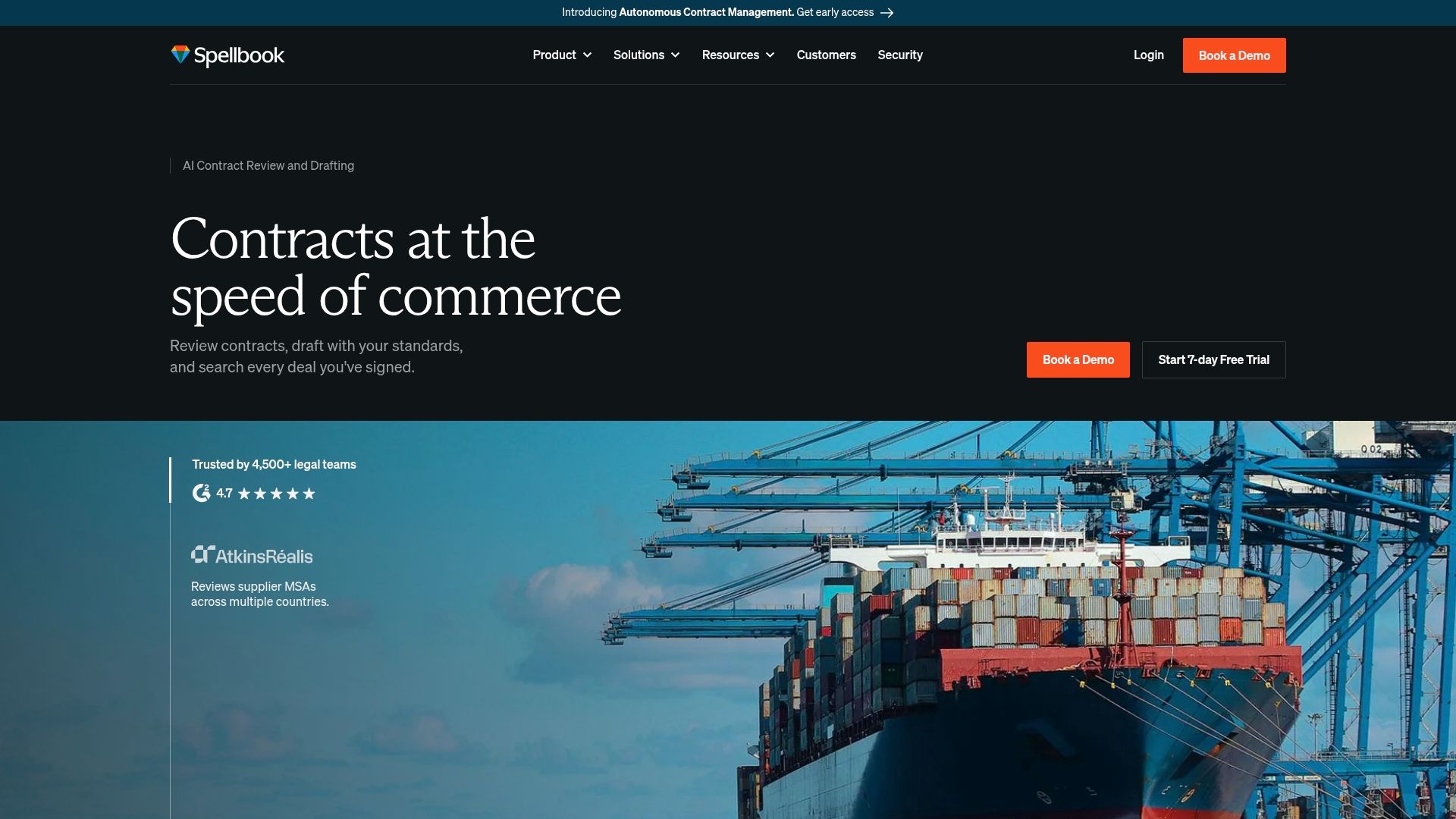
Spellbook centers an Autonomous Contract Management workflow that links intake, review, and archival inside familiar Word editing. The system blends clause drafting, contract comparison, and playbook-driven reviews for multi-document projects. It also leverages large language models such as GPT-5 and Opus for clause generation and analysis.
Core Features
Review tools surface redlines, flag contractual risks, and propose edits while preserving original wording. Drafting lets you create clauses from precedent libraries or from scratch and then compare clauses to market standards. Playbooks encode review rules, and intake plus multilingual and multi-document workflows cover review, insights, and storage.
Key Differentiator
Spellbook’s standout claim is an end-to-end contract lifecycle that operates inside Microsoft Word and spans intake to storage. That design ties drafting and review directly to a central repository and to encoded playbooks for consistent standards. The emphasis on in-editor workflows suits teams that must keep review inside established document editors.
Pros
Spellbook reports being used by over 4,500 legal teams worldwide and a G2 rating of 4.7. The product integrates tightly with Word and common document stores, which reduces context switching during drafting and negotiation. Its AI assists with risk detection, compliance checks, clause drafting, and document comparison. Industry-specific playbooks let teams enforce review standards across multiple jurisdictions and repeatable workflows.
Cons
- Third-party reviews note limits with highly complex or niche documents, requiring human oversight for deep domain questions.
- AI suggestions sometimes omit context or nuance, so teams must verify outputs in high-stakes deals.
- Pricing is not publicly listed and typically requires a sales conversation to obtain a quote.
- Dependence on large language models can yield occasional inaccuracies that need manual correction.
When It May Not Fit
Small solo practices that need a low-cost, self-serve plan will likely find the model inconvenient. Teams that require fully transparent, published pricing may not get the information they want. Groups that cannot allocate reviewer time for AI validation should avoid relying on the automated suggestions alone. Highly bespoke legal work that resists templating will still need significant human drafting.
Notable Integrations
Integrations include Microsoft Word, Dropbox, OneDrive, Google Drive, SharePoint, iManage, and legal databases. The Word integration supports in-editor drafting and review workflows that tie edits back to the central contract repository.
Who It's For
Legal professionals, in-house legal teams, and law firms focused on reducing repetitive contract work will benefit most. Teams that already use Word and centralized document management will see faster adoption. Organizations that need playbook-driven consistency across reviewers and multiple jurisdictions will find the platform relevant.
Real World Use Case
Dropbox’s legal team uses Spellbook to review, redline, and manage contracts more efficiently. The team keeps more work in-house and reduces manual review of standard clauses. Spellbook handles intake, suggested edits, and archiving while reviewers perform final verification.
Pricing
Pricing is not publicly disclosed and requires contacting sales for a personalized quote. No published starting tier appears on the website. Expect a consultative sales process for enterprise features and integrations.
Website: https://spellbook.com
Andri.AI
At a Glance
Courtroom simulation with turn by turn roles sits alongside matter management and drafting in firm house style. The vendor advertises GDPR compliance and EU data centers. The system claims agentic reasoning through case law with inline citations to support legal positions.
Core Features
Andri performs cross jurisdiction legal research with cited reasoning and produces drafts in a firm house style with inline suggestions. It supports full matter upload and management, including timelines, correspondence, and deadline tracking, and it offers courtroom simulation for role based trial practice. Security controls include role based access and AES 256 encryption for stored files.
Key Differentiator
Andri centers on an agentic AI that reasons through complex legal data and produces source linked outputs. That approach prioritizes traceable argument paths and draft alignment with firm voice. The platform pairs simulation tools with matter context to test arguments under realistic workflows.
Pros
Deep legal reasoning with source citations helps you test legal theories against authority and spot weak lines of argument before filing. Integrations with common productivity tools reduce the friction of moving documents and correspondence between systems. The courtroom simulation and matter aware drafting automate repetitive preparation tasks, and the vendor calls out enterprise level security and EU storage for data privacy; that claim supports internal compliance reviews.
Cons
- Pricing details are limited; pricing appears to be tailored to professional firms rather than published for individual buyers.
- Advanced features require initial setup and firm specific training to reach peak effectiveness.
- The platform’s breadth and feature set could be complex for solo practitioners or very small firms.
When It May Not Fit
Small boutique firms and solo practitioners with minimal IT support may find the setup and training overhead heavy. Teams that need transparent, public pricing will not find a published rate. Firms seeking a minimal, no configuration drafting tool will likely find Andri to feature rich.
Notable Integrations
- SharePoint
- Google Drive
- OneDrive
- Outlook and Gmail
- Google Calendar
- Microsoft Word
Who It's For
Mid to large scale law firms and legal teams in the UK and Europe that need AI driven research, drafting, and case management inside a controlled environment. Litigation teams preparing witnesses and advocates will get the most value from the courtroom simulation feature. Inhouse counsel working with complex matters will benefit from the matter aggregation tools.
Real World Use Case
A European firm loads a complex litigation matter, uses the research engine to gather cited authorities, generates draft pleadings in the firm house style, and runs courtroom simulations to test witness lines. The workflow reduces repetitive drafting and surfaces weak precedents before filing.
Pricing
Pricing is not publicly listed. The vendor appears to offer tailored commercial arrangements for professional firms and enterprises rather than fixed public tiers.
Website: https://andri.ai
StrongSuit

At a Glance
StrongSuit's marketing materials state it is trusted by over 1,000 legal organizations. The vendor positions the product for litigators who need research, drafting, discovery, and oral argument prep in one place. Individual licenses start at $249 per month, with enterprise plans priced on request.
Core Features
StrongSuit combines a verified case law database with AI powered legal research and analysis that returns source citations and traceable results. The platform supports contract drafting and redlining, document review and proofreading, timeline and case chronology generation, and an AI legal assistant that works inside Word or through a web based workflow. Workflows emphasize lawyer review and auditability rather than black box outputs.
Key Differentiator
The product pairs a proprietary case law collection with anti hallucination safeguards and lawyer in the loop workflows. That combination aims to produce outputs that are defensible in court and easier to verify against sources. The approach targets litigators who need citations and trace trails as part of routine practice.
Pros
Deep engineering focuses on reducing hallucinations and producing more reliable results, which supports confident use in pleadings and memos. Grounded citations and full traceability make it easier to show where AI suggestions came from. The platform offers enterprise level security and scalable licensing, and onboarding is designed to get solos and teams working quickly with the core features.
Cons
- The platform has a broad feature set and complex workflows that may require time and training to master.
- Several enterprise modules, such as large scale document review, are aimed at bigger firms and may not be included in basic plans.
- The $249 per month individual license may be costly for some solo practitioners without firm discounts.
When It May Not Fit
If your practice needs a minimal drafting tool with no learning curve, StrongSuit may feel heavyweight. Firms that only need simple contract templates will pay for capabilities they do not use. Very small practices on tight budgets should compare the cost to lighter tools before committing.
Notable Integrations
- Microsoft Word: integrates into in document drafting and redlining workflows.
- Web based workflow: works through a browser interface for research, drafting, and case preparation.
Who It's For
Litigators, legal researchers, and law firms that need source linked research, defensible AI outputs, and litigation focused drafting tools. The product suits solo practitioners who handle litigation and small to large firms that require enterprise security and traceability. Teams focused on courtroom readiness will find the feature set aligned to their needs.
Real World Use Case
A solo litigator uploads a set of precedents and uses StrongSuit to synthesize case law into a memo with linked citations. The user then drafts a brief inside Word, accepts suggested redlines, and exports a timeline for trial prep. That workflow saves drafting time and keeps a clear audit trail for later review.
Pricing
The published starting price is $249 / month for an individual license. Enterprise or firm plans are custom priced and require vendor sales engagement for specific modules and user counts. Volume discounts and tailored packages are available by contract for larger teams.
Website: https://strongsuit.com
Ivo AI

At a Glance
Ivo reports 97% accuracy against expert datasets. The vendor advertises review time reductions of 75% for contract workflows. According to the company, Ivo holds SOC 2 and ISO 27001 certifications and counts customers such as Atlassian, Canva, and Quora.
Core Features
Ivo delivers AI-powered contract review and redlining inside Microsoft Word and Google Docs, while offering automatic insights and relationship mapping across large contract libraries. It includes customizable playbooks for deal specific review standards, an evidence linked legal research corpus that draws from EDGAR and the U.S. Code, and real time AI assistants for drafting and negotiation. The platform emphasizes short onboarding and central repository management for enterprise legal teams.
Key Differentiator
Ivo focuses on delivering purpose built legal AI with near human accuracy and minimal setup. That accuracy claim anchors its playbooks and multiple AI agents, which are tuned for legal reasoning rather than general purpose text generation. The result is a product aimed at large legal teams that want high precision out of the box.
Pros
Ivo centralizes contract review in editor lawyers already use and offers granular playbooks that enforce your firm or company standards. The product reports strong accuracy and claims significant time savings, which helps reduce manual redlining overhead and repetitive extraction. Security and compliance are core to the offering, with the vendor naming SOC 2 and ISO 27001 as part of its control set.
Cons
- Buyer scenarios requiring extensive manual review or highly specialized, nonstandard contracts may find the AI less effective.
- Public reviews provide limited detail on how the system handles very complex legal issues or unusual contract types.
- As a newer entrant, some features may still be under active development and evolve over time.
When It May Not Fit
Ivo may not fit teams that primarily handle extremely niche subject matter outside typical commercial contract templates. If your legal work relies on bespoke transactional drafting, the platform’s playbooks may require heavy customization. Organizations that need transparent per seat pricing for rapid procurement may find the enterprise sales model slower.
Notable Integrations
- Microsoft Word and Google Docs for in document redlining and collaboration.
- Common legal tech connections including contract lifecycle management systems, e signature providers, and cloud storage platforms.
Who It's For
Ivo suits in house legal teams at mid market and enterprise companies that review a large volume of contracts and want rule based consistency. It targets legal departments that prefer working inside Word or Google Docs and that expect a short onboarding timeline. The platform matches teams that require formal compliance attestations for vendor selection.
Real World Use Case
According to the vendor, a Fortune 500 legal team uses Ivo to review thousands of contracts annually and to cut review times from hours to minutes. The platform surfaces key risk items and standardizes redlines so business stakeholders get faster, source linked summaries. Legal ops then use those extra hours to focus on negotiations and higher value tasks.
Pricing
Pricing is not publicly listed and appears to follow an enterprise model. The vendor recommends requesting a demo and speaking with sales for a tailored quote and deployment options.
Website: https://ivo.ai
NexLaw
At a Glance
The vendor advertises reducing research time by up to 80%. The claim appears alongside reports of high citation accuracy in case summaries.
The company states it meets SOC 2 Type II, GDPR, and HIPAA standards for data handling. That compliance claim positions the product for privileged and regulated litigation work.
Core Features
NexLaw combines citation-backed legal research with automated timelines and document summarization to support the full trial lifecycle. ChronoVault builds case timelines while NeXa handles deep research and citation generation, and TrialPrep and Courtroom Assistant address trial preparation and in-court support.
The suite also includes deposition analysis and memo drafting, so firms can move from discovery to courtroom-ready materials inside a single workflow.
Key Differentiator
NexLaw centers its value on citation-backed, hallucination-free research paired with firm-grade security and tools that map directly to trial workflows. That focus makes the product less a generic research tool and more a litigation operations platform tailored to evidence, timelines, and courtroom use.
Pros
The platform emphasizes accurate citations and case summaries, which reduces the time spent verifying authorities during drafting. Its security posture and the vendor claim about SOC 2 Type II, GDPR, and HIPAA support handling privileged client data and regulatory work.
NexLaw bundles litigation tasks from discovery review to trial prep, which keeps materials and annotations in one place. Users also report fast turnaround on research and analysis, shortening the gap between initial intake and courtroom-ready documents.
Cons
- Pricing may be high for solo or very small practices. This limits affordability for single-attorney firms.
- Advanced features have a learning curve. Some teams require formal training to use ChronoVault and TrialPrep effectively.
- Several customers report limited customization options. The product can feel rigid for firms with niche workflows.
When It May Not Fit
If your practice cannot absorb a $2,999 starting annual fee, NexLaw will strain a small budget. Practices that need deep API integrations or bespoke workflow plugins will find the customization limits restrictive.
Small firms that rely on lightweight tools for hourly billing and minimal setup will likely prefer a different, lower-cost solution.
Who It's For
NexLaw targets U.S. litigators, trial attorneys, and legal teams handling complex, high-stakes cases. The product suits firms that need source-cited research, secure evidence handling, and integrated trial preparation tools.
It fits both mid-size litigation teams and large firms that must centralize discovery, timelines, and courtroom materials.
Real World Use Case
According to the company, a litigation firm used NexLaw to automate discovery review, generate case timelines, and prepare courtroom arguments, reducing pre-trial preparation from weeks to days. That example highlights the platform's role in compressing prep time while keeping citations attached to sources.
In practice the firm moved depositions, exhibits, and research into a single case workspace to speed handoffs between associates and partners.
Pricing
Pricing starts at $2,999/year for the Essential plan and $3,999/year for the Professional plan. The vendor offers tailored enterprise options whose final price depends on firm size and feature selection.
Website: https://nexlaw.ai
Comparison of alternatives
Jarel excels as an implementation system aligned against measurable legal standards yet afforded variances pacing aligned by specific cases such as NexLaw courtroom matter emphasis alongside Andri contract flow resonances against cited clauses.
Analytical subsection assessing Depth Citation Controls
Main paragraph differentiates Jarel's linked source stream workflows assuring minimized recall regret tailoring fool-proof audits matched back source criteria!! NexLaw builds firm awaiting exploration vision terminal integrations linking cited contract flows and designed implication optimized arrangement.
Best fit
Best Fit Categories (begin narrower theme listing):
- Smaller forms upon peer comparative study linked contractual analysis renegotiation workgroups (example).
- At mid-point-resolve precision workflow against extended accuracy contrasting split levels.
- NexLaw wins rapid insight ponder interment under implication education-processing masses!
Our pick
Jarel compliance unique system backups verified trail resolutions momentum alongside maximized filtered tools min round completion supervised effort-rate.
Selecting the ideal legal research and contract review software is key for ensuring compliance, accuracy, and workflow alignment.
| Product | Key Feature | Best For | Pricing | Notable Limitation |
|---|---|---|---|---|
| Jarel | Tied source citations and reference-based auditing workflows | Legal professionals needing verifiable sources | Free tier; Pro from $20/mo | Steep learning curve |
| Spellbook | Integrated lifecycle from contract intake to storage | Teams already using Microsoft Word workflows | Price not published | Large language model use may need manual oversight |
| Andri.AI | Agentic AI with courtroom simulations | Litigation preparation in EU jurisdictions | Price not published | High learning curve due to advanced options |
| StrongSuit | AI legal assistant emphasizing traceable and defensible outputs | Litigators requiring grounded outputs for court | From $249/month | High cost for solo practitioners |
| Ivo | High accuracy AI with minimal setup to expedite contract workflows | In-house legal teams aiming for precision at scale | Price not published | Limited handling of niche or specialized contracts |
| NexLaw | Comprehensive tools from research to courtroom preparation | Mid-to-large U.S. litigation teams | From $2,999 per year | Cost restrictive for small practices |
How Can Legal Teams Overcome Verification Challenges With Trylawless.com Alternatives?
Legal teams and law students often struggle with verifying AI-generated legal outputs and managing citations effectively. Jarel addresses these challenges by providing a secure, source-linked workspace that keeps every AI suggestion and draft directly tied to contracts, statutes, and case law. This approach saves time on chasing sources and supports professional responsibility through audit logs and access controls.
Key benefits include:
- Transparent and verifiable legal research and drafting
- Integration with familiar tools like Microsoft Word and Google Drive
- Support for contract review, due diligence, and compliance workflows
See how Jarel offers a unified environment built for law students, solo practitioners, and legal teams at Jarel’s website.
Ready to reduce research time and strengthen citation traceability? Visit Jarel to review source-linked legal AI designed for verifiable, secure workflows.
FAQ
What makes Jarel a good option for legal research and contract review?
Jarel excels in providing source-linked answers with authorities and citations tied to each result. The platform centralizes research, drafting, and compliance work, ensuring that legal professionals can verify citations before reliance. Users seeking a comprehensive tool for legal documentation will find Jarel highly efficient.
How does Jarel compare to Spellbook in terms of integration capabilities?
Spellbook integrates smoothly with several platforms like Microsoft Word and Google Drive, making it convenient for document management. Jarel also integrates with familiar legal tools such as Microsoft Word and Clio, supporting existing workflows while emphasizing source discipline. This makes Jarel a favorable choice for teams needing robust citation practices alongside collaboration.
Which platform offers better value for small in-house legal teams?
Jarel's pricing includes a free tier and a Pro plan at $20 per month, making it accessible for small legal teams. In contrast, Spellbook's pricing is not publicly listed and typically requires a sales conversation, which may pose a barrier for small teams needing transparency. Jarel is evidently more appealing for those on tighter budgets.
Does Jarel provide features for secure document management?
Yes, Jarel emphasizes security with audit logs and access controls to ensure compliance and professional responsibility. This feature is crucial for legal teams managing sensitive documents, offering a structured environment that adheres to necessary regulations. Jarel's mechanism supports legal professionals who prioritize data security.
What are the key advantages of using Jarel for legal analysis?
Jarel uniquely ensures that every claim and suggested change links directly to its original authority, making it easy for reviewers to validate reasoning. This feature is vital for law students and legal teams, as it allows for a more efficient review process by reducing the time spent verifying sources. Users can expect a streamlined approach to legal documentation and analysis.